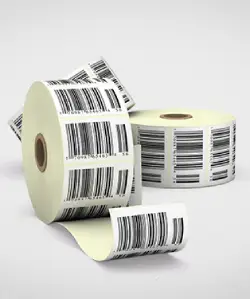
A barcode that scans 100% of the time is invisible - nobody thinks about it. A barcode that fails costs chargebacks, rejected shipments and manual keying at every point in the chain. The difference between the two is a handful of learnable rules.
GS1 in Two Minutes
GS1 is the global body behind retail barcode standards. Your company registers with GS1 (GS1 India locally), receives a company prefix, and issues a unique GTIN (Global Trade Item Number) per product - encoded as the familiar EAN-13 barcode on consumer packs. Cartons and pallets use ITF-14 and GS1-128 symbols that carry the GTIN plus logistics data like batch and expiry.
Which Barcode Goes Where?
| Level | Symbol | Typical Content |
|---|---|---|
| Retail unit | EAN-13 / UPC-A | GTIN |
| Inner / outer carton | ITF-14 or GS1-128 | GTIN + case quantity |
| Pallet (SSCC) | GS1-128 | Serial shipping container code |
| Product with expiry/batch | GS1-128 or GS1 DataMatrix | GTIN + AI(10) batch + AI(17) expiry |
| Consumer engagement / traceability | QR (GS1 Digital Link) | URL carrying GTIN |
The Rules That Prevent 90% of Failures
1. Size (Magnification)
EAN-13 nominal size is 37.29 × 25.93 mm (100%). Retail packs may scale between 80% and 200% - never below 80%. Do not truncate height to squeeze a design; short bars defeat omnidirectional scanners at checkout.
2. Colour & Contrast
Dark bars on a light background. Black on white is bulletproof. Blue and green bars scan; red bars do not (scanners use red light and see red as white). Never reverse (white bars on dark).
3. Quiet Zones
Leave clear space either side of the symbol - minimum 7× the narrow-bar width on the left and 5× on the right for EAN-13. Design elements creeping into the quiet zone are a classic hidden failure.
4. Print Method & Substrate
Bar edges must stay crisp. On press, orient bars in the print direction where possible; on thermal printers, use the right ribbon - resin on synthetics, wax on paper. Our thermal printer labels and ribbon guide cover on-demand printing.
Verification: Your Proof of Quality
A barcode verifier (ISO/IEC 15416) grades printed symbols from A to F on parameters like contrast, modulation and decodability. Retailers commonly require grade C or better; serious suppliers target A/B and keep verification reports per batch. Scanning with a phone is a smoke test, not verification.
Need retail-compliant barcoded labels? Sai Impression prints and verifies EAN, ITF-14, GS1-128 and DataMatrix symbols - including full variable data serialisation. Get compliant labels →
Adding Batch, Expiry and Serial Numbers
Regulated and export categories increasingly need dynamic data in the barcode itself: GS1-128 application identifiers or a DataMatrix carrying GTIN + batch + expiry + serial. That is variable data printing - every label unique - covered in depth in our VDP use-cases post.
FAQ
What barcode do I need to sell in Indian retail chains?
An EAN-13 encoding a GTIN issued under your own GS1 India registration. Marketplaces and chains verify ownership - borrowed or invented numbers eventually cause listing and chargeback problems.
What is the minimum size for an EAN-13 barcode?
80% magnification - roughly 29.8 × 20.7 mm including quiet zones. Below that, checkout scanners struggle and retailers may reject the pack.
Can a QR code replace my retail barcode?
GS1 Digital Link QR codes are being phased in globally (“Sunrise” programme), but EAN-13 remains mandatory at most checkouts today. Best practice: keep EAN-13 and add a QR for engagement and traceability - see QR codes on packaging.
Why does my barcode scan in office but fail at the retailer?
Phone and handheld scanners are forgiving; checkout omnidirectional scanners and verifiers are not. Common causes: truncated height, tinted background lowering contrast, invaded quiet zones, or ink gain blurring bars. Verification catches all of these before shipping.